
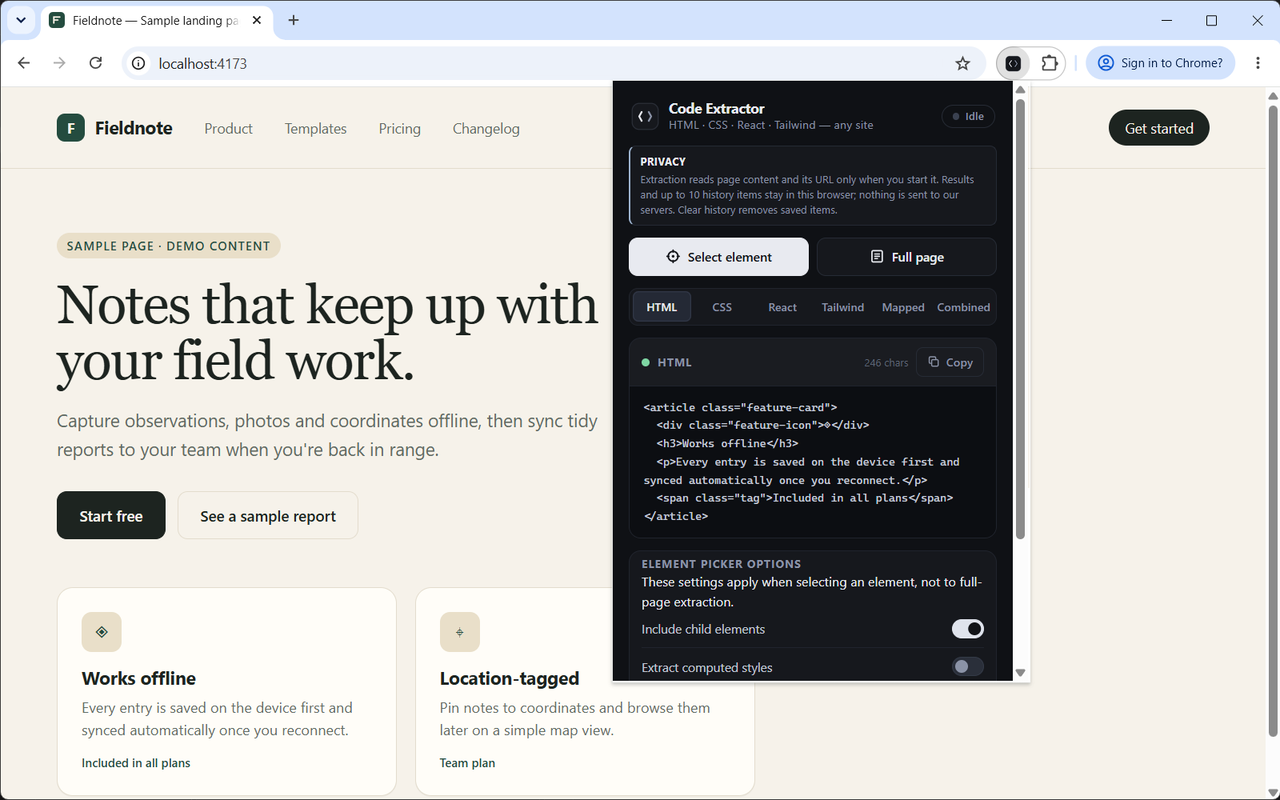
One selection. More ways to build.
- HTML
- CSS
- React
- Tailwind
- Class mappings
A starting point, not a black box
Take the code.
Make it your own.
Inspect the structure, understand the styles, then bring the useful parts into your own implementation.
The structure underneath.
Readable markup from the element you select, with optional child elements.
Illustrative code example<article class="feature-card">
<h3>Works offline</h3>
<p>Capture ideas wherever you are.</p>
</article>Less inspecting.
More making.
From a component that caught your eye to a code starting point. No extension account required.
Watch the walkthrough ↗Point to the useful part.
Open the extension, start the picker and click a component. Or choose Full page for a broader extraction.
Find your starting point.
Read HTML or CSS, generate a React starting point, or explore Tailwind class suggestions.
Copy. Refine. Build.
Copy the output, adjust it for your project, and revisit up to 10 recent results in local history.
You choose what comes with it
A little more
control.
Extract the element you need, with the level of detail your project calls for.
- Child elements
- Keep the nested structure or focus on the selected element.
- Computed styles
- Include resolved style information from the browser.
- Webflow classes
- Map Webflow class names and remove data attributes from extracted markup.
These options apply to element selection, not full-page extraction.
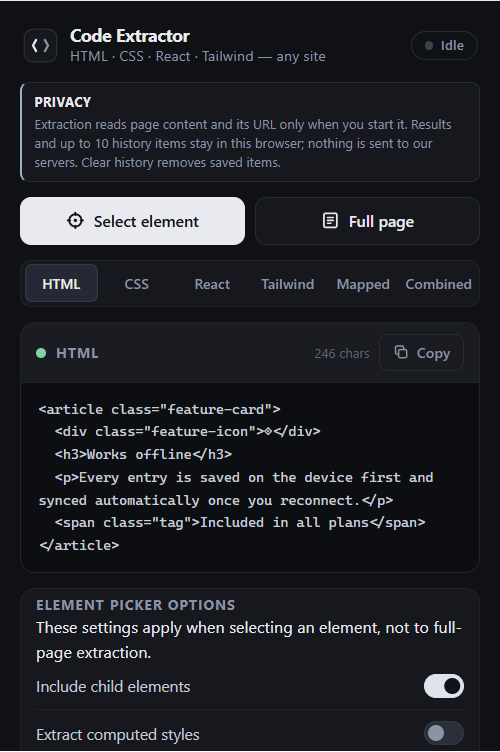
See the flow.
A 20-second illustrated walkthrough of selecting, extracting and copying.
Illustrated walkthrough, not a live recording. It uses the original Webflow Code Extractor name. Real extension captures appear above.
Your browser.
Your extracted code.
The extension reads page content and its URL when you invoke extraction. It does not send that content to the publisher's servers.
Read the full privacy policy ↗- 10
- recent results stored locally
- You
- choose when to extract and clear history
A few things
worth knowing.
Ask another question ↗Does this work only on Webflow websites?
No. The extension works on ordinary webpages, including Webflow-published sites. Chrome blocks extensions on browser settings, the Chrome Web Store and some other protected pages.
Can I copy HTML and CSS from a website?
Yes. Select an element to view its extracted HTML and CSS. Enable computed styles for resolved style information. Only extract content you are authorized to process.
Will the React or Tailwind output match perfectly?
Not necessarily. These are generated starting points, not the original source components. Dynamic behavior, responsive rules and framework logic can require manual work.
Why are some styles missing?
Element extraction reads inline styles by default. Enable computed styles for resolved browser values. Full-page extraction reads accessible stylesheets, but browser security can block cross-origin stylesheets. Extraction does not reconstruct every responsive state, and large results may be truncated. Tailwind suggestions use the element picker.
Is it free? Does it require an account?
The extension is free and does not require an extension account. Install it from the Chrome Web Store to get started.
Where is my extraction history stored?
Up to 10 results are stored locally in Chrome. Use Clear in the popup to remove saved history. See the privacy policy for temporary storage and retention details.
Your next build starts somewhere.
Start with
what caught your eye.
Add to Chrome Free to install. No extension account needed.
Listed on Chrome Web Store as Webflow Code Extractor.